In any growing organization, ambiguity quietly steals time, creates mistakes, and slows momentum.
When a team member has to stop and ask, “How do we do this again?” or “Where does this file go?”, the workflow breaks.
Standard Operating Procedures (SOPs), are meant to solve that problem. But too often, they become long, static documents that are written once, stored in a folder, and forgotten. A functional SOP should do the opposite: guide people clearly, quickly, and consistently while the work is happening.
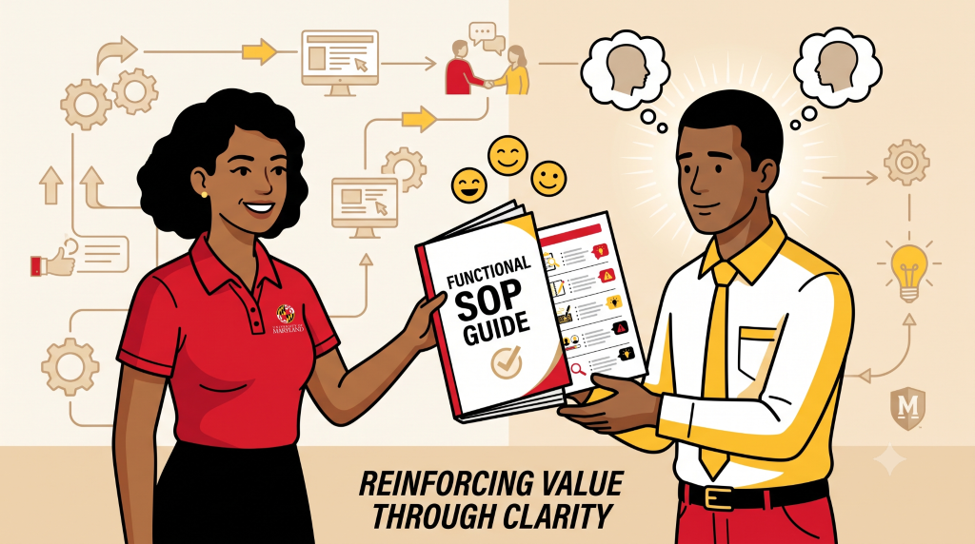
Why Most SOPs Fail (and Why Yours Won’t)
Many organizations create SOPs that are too broad, too long, or too disconnected from daily work. They are written to satisfy a requirement rather than to help someone complete a task.
When an SOP is difficult to find, slow to read, or unclear to follow, people stop using it. Over time, that creates inconsistency, duplicate work, and preventable errors.
The Difference Between a Manual and a Functional SOP
A traditional manual tries to explain everything about a process. A functional SOP focuses only on what someone needs to do, in the right order, with enough detail to succeed.
Think of it this way: a manual is like an encyclopedia, while a functional SOP is like GPS directions. One gives background; the other helps you get where you need to go.
Overcoming the “I Already Know How to Do It” Bias
The biggest hurdle in writing an SOP is the “Curse of Knowledge.” When an expert writes a procedure, they unconsciously skip “obvious” steps.
They might write, “Log into the CRM and update the lead,” forgetting that a new hire doesn’t know which URL to use, which set of credentials to apply, or which specific fields are mandatory versus optional.

To write a functional SOP, you must embrace the mindset of a beginner. You have to deconstruct your subconscious habits and turn them into explicit work instructions. If you think a step is too simple to include, that is usually the exact step where a mistake will happen.
Phase 1: Defining the Scope and the Success Metric
Before you type a single instruction, you need to draw a box around what you are trying to solve. An SOP that tries to cover too much becomes a tangled mess.

Start With the Right Scope
Before writing a single step, define exactly what the SOP is meant to accomplish. If the scope is too broad, the document will become confusing and hard to use.
For example, “Marketing SOP” is too vague. A better title would be “How to Schedule a Weekly Newsletter in Mailchimp.” That version is specific, measurable, and easy to follow.
Every SOP should also have clear bookends:
- Trigger: What happens that tells the employee it’s time to start this SOP? (e.g., “When a new lead signs the contract.”)
- End point: At what point is the work officially “done” and ready to be handed off? (e.g., “When the client receives the welcome email and the folder is created in Dropbox.”)
Defining these boundaries helps prevent scope creep and keeps the SOP focused on one workflow.
Choosing the Right Format: Checklist, Flowchart, or Step-by-Step?
Not all tasks are created equal, so not all SOPs should look the same, requiring you to choose the most effective SOP format and process mapping approach for the job.
- Checklists are best for high-frequency tasks performed by experienced people who just need to ensure nothing is missed (e.g., a pre-flight pilot checklist).
- Flowcharts are ideal for processes with “If/Then” logic. If the client says X, go to step 4; if they say Y, go to step 6.
- Step-by-Step Instructions are the gold standard for complex, linear tasks that require specific clicks, entries, or physical movements.
Phase 2: The Information Gathering Sandbox
Never write an SOP in a vacuum. The best source of information is the person who already performs the task.
Shadowing the Subject Matter Experts (SMEs)
Shadow subject matter experts and watch the work in real time. Often, you will notice steps, shortcuts, or workarounds that people forget to mention because they perform them automatically.
This is also where you capture the small details that make a process reliable. If an expert says, “Click the button,” ask which button, where it is, and what happens next. The hidden steps are often where mistakes occur.
Capturing the “Hidden Knowledge” and Nuance
Functional SOPs capture the why and the how much. If a step says “Tighten the bolt,” a functional SOP adds, “Tighten until you feel resistance, then give it a quarter turn – do not over-tighten or the threading will strip.” This nuance is what separates a mediocre result from an expert one. Look for the “judgment calls” the expert makes and try to quantify them.
Identifying Common Roadblocks and Failure Points
Ask: where does this process usually go wrong?
Every workflow has a few weak points where people make mistakes, software fails, or decisions become unclear. A strong SOP should call those out directly with notes, warnings, or tips.
For example, if a step often fails because a field is optional in one system but required in another, say so clearly. Good SOPs do not just explain what to do; they also help people avoid predictable errors.
Phase 3: Building the Backbone of Your SOP
Now it’s time to structure the document. A consistent structure, often starting with a professional title page and a clear table of contents, allows users to scan the document quickly to find what they need.

Title, Version Control, and Responsibility
Every SOP needs a header for proper document control and a clear definition of roles and responsibilities that answers three questions:
- What is this? (Title: Process for Refunding Customer Payments)
- Is this the latest version? (Version 2.4, Effective Date: Oct 2023)
- Who owns this? (The Billing Manager)
Assigning a “Process Owner” is vital. If everyone is responsible for the SOP, no one is. The owner is the person who must approve any changes to the document.
The Tools and Prerequisites Section
Nothing kills productivity like getting to Step 7 and realizing you don’t have the login credentials for a specific software or a specific physical tool.
List everything needed before the first step.
- Software: Access to Shopify Admin, Slack, and Google Sheets.
- Hardware: Label printer, 4×6 thermal labels.
- Prerequisites: The “Customer Discovery Form” must be completed by Sales.
Writing Action-Oriented Steps (The “Verb-Noun” Rule)
Good SOP steps begin with clear verbs and specific actions. Use active voice and tell the reader exactly what to do.
Weak: The settings should be checked for accuracy.
Strong: Click the “Settings” tab and verify that the tax rate is set to 8.5%.
Use verbs like “click”, “type”, “upload”, “select”, “confirm”, and “send”. Avoid vague language such as “ensure”, “understand”, or “be aware of”. Those words do not tell someone what action to take.
Phase 4: Designing for Clarity and Accessibility
A wall of text is where information goes to die. If your SOP looks like a legal contract, your team will find excuses not to use it.
Using Visual Aids to Replace Walls of Text
A picture is worth a thousand words, but a screenshot with a red arrow is worth ten thousand. If you are describing a UI, don’t spend three sentences describing where a button is. Take a screenshot, crop it to the relevant area, and put a bright red circle around the button.
For physical tasks, use photos or short 10-second video loops (GIFs) to show the exact hand motion or placement required.
The Power of Annotations and Screenshots
When using screenshots, keep them clean. Use tools like Snagit or Loom to add clear, numbered callouts that correspond to your written steps. Step 1: Click the Profile Icon [1]. Step 2: Select ‘Billing’ from the dropdown [2].
This creates a dual-coding effect where the user can follow the text and the visual simultaneously without losing their place.

Keeping the Language Simple (Writing for the “Fresh Hire”)
Assume the reader is capable but unfamiliar with the process. That mindset helps you avoid jargon, hidden assumptions, and unnecessary shorthand.
Keep sentences short. Use bullet points for lists and numbered steps for sequences. If a step contains several sub-actions, consider breaking it into a sub-section or checklist so it stays readable.
Phase 5: Stress-Testing Your Procedure
You wouldn’t ship software without testing the code. You shouldn’t ship an SOP without testing the logic.
The “Blind Execution” Test
This is the ultimate trial by fire. Hand your draft SOP to someone in your company who is not familiar with the task. Ask them to perform the task using only the document.
Stay silent. Don’t help them. If they get stuck, don’t explain the answer – mark the spot in the SOP where they got confused. That is a flaw in your document. Rewrite that section until a “blind” user can get from start to finish without asking a single question.

Collecting Feedback from the People Doing the Work
Once the SOP is live, the people using it daily will find the inefficiencies you missed. They will find “shortcuts” that actually work better. Create a culture where “The SOP says so” isn’t a dead end. If the SOP is wrong or slow, the team should feel obligated to point it out.
Iterating Based on Real-World Results
An SOP is a living document, not a monument. If a mistake happens in your business, the first question shouldn’t be “Who messed up?” it should be “Did the SOP fail, or did we fail to follow the SOP?” If the SOP was followed but the result was still bad, you need to update the procedure immediately.
Phase 6: Deployment and Maintenance
The best SOP in the world is worthless if it’s buried in an email thread or a random desktop folder.
Choosing a Centralized “Single Source of Truth”
You need a digital home for your SOPs. Whether it’s a dedicated platform like Trainual or Scribe, or a well-organized Notion or Google Drive, it must be:
- Searchable: Users should find what they need in under 30 seconds.
- Accessible: It should work on mobile if the team is in the field.
- Permission-Controlled: Everyone can read, but only owners can edit.
Setting a Review Cadence to Prevent “SOP Rot”

Processes change. Software updates. Regulations evolve. Set a recurring calendar reminder (every 6 or 12 months) for the Process Owner to review the SOP. If nothing has changed, they simply “re-verify” it. If the UI of the software has changed, they update the screenshots. This prevents the “We don’t use that anymore” syndrome.
Empowering Your Team to Suggest Improvements
Include a “Suggest an Edit” link at the bottom of every SOP. When a frontline worker finds a better way to do something, they should be able to submit that feedback instantly. This turns your SOP library from a top-down mandate into a bottom-up knowledge base.
Practical Examples of Functional SOPs
To ground these concepts, let’s look at how two different types of SOPs should be structured.
Example: Client Onboarding Workflow
Objective: To transition a new client from “Signed Contract” to “Project Kickoff” within 24 hours.
- Trigger: Sales marks the deal as “Closed/Won” in the CRM.
- Step 1: Open the “New Client Template” in the Project Management tool, which serves as your primary SOP template for this workflow.
- Step 2: Copy the client’s contact info from the CRM into the “Client Profile” section.
- Step 3: Generate a Slack channel named #client-[Name] and invite the Account Manager.
- Step 4: Send the “Welcome Email” (Template #14) via Gmail, CC’ing the billing department.
- End Point: Client replies to the email, and the first meeting is scheduled on the calendar.
Example: Technical Troubleshooting Guide
Objective: To resolve “Printer Offline” errors for the warehouse team.
- Check Power: Verify the green light on the back of the Zebra printer is solid. If blinking, unplug for 10 seconds and restart.
- Check Connection: Ensure the ethernet cable is clicked into the “LAN” port.
- Software Reset: Open the ‘Print Queue’ on the desktop. Right-click the Zebra printer and select “Restart Spooler.”
- Escalation: If the light remains red after a restart, take a photo of the error code and Slack it to #IT-Support.
Scaling Consistency: Turning Your Framework Into a Culture

The goal of this framework isn’t to turn your employees into robots. It’s the exact opposite. By standardizing routine tasks and the repetitive, technical, and mundane aspects of a job, you free up your team’s mental energy for the things that actually matter: creativity, problem-solving, and human connection.
When a team operates with functional SOPs, anxiety drops. People feel confident because they know exactly what “success” looks like. They don’t have to guess.
Start small. Don’t try to document your entire business in a weekend. Pick the one process that is currently causing the most headaches or the most mistakes. Apply Phase 1 today. Write it, test it, and watch the friction disappear. Once you see the power of a truly functional SOP, you’ll never go back to “guessing” again.
FAQ’s
Q: What is the difference between a traditional manual and a functional SOP?
A: The primary difference lies in their purpose and format:
- Traditional Manual: Functions like an encyclopedia, trying to explain everything about a process and providing heavy background context.
- Functional SOP: Functions like GPS directions, focusing strictly on what someone needs to do in the correct sequence with enough detail to succeed without unnecessary fluff.
Q: What is the “Curse of Knowledge” in standard operating procedure creation?
A: The Curse of Knowledge is a cognitive bias where an experienced expert writing a procedure unconsciously skips “obvious” steps because they perform them automatically. To overcome this, writers must adopt a beginner’s mindset, deconstruct their subconscious habits, and turn every micro-action into an explicit instruction to protect new hires from making predictable mistakes.
Q: What are the key bookends required when defining the scope of an SOP?
A: Every functional SOP must establish two clear bookends to prevent scope creep and maintain focus:
- The Trigger: The exact event that tells an employee it is time to start the SOP (e.g., “When a new lead signs the contract”).
- The End Point: The precise milestone where the work is officially done and ready to be handed off (e.g., “When the client receives the welcome email”).
Q: What is the “Verb-Noun” rule when writing actionable step instructions?
A: The Verb-Noun rule dictates that good SOP steps must begin with clear, active verbs and specific targets rather than passive or vague language. Instead of writing weak phrases like “the settings should be checked,” a functional SOP uses direct commands like “Click the Settings tab and verify that the tax rate is set to 8.5%.”
Q: How does a team execute the “Blind Execution” test on a new SOP?
A: The Blind Execution test is a quality control method where you hand a draft SOP to someone in the company who is completely unfamiliar with the task. They attempt to perform the work using only the document while the writer stays completely silent, allowing the team to mark and rewrite any confusing spots until a beginner can finish the task without asking questions.
Q: Where can I study advanced operations management and workflow standardization?
A: You can master process mapping, quality control frameworks, and operational efficiency strategies through the specialized programs at the University of Maryland Project Management Center for Excellence. Learn more about our advanced project management tracks or sign up for an information session. For those that need to get up to speed quickly with modern leadership tools, learn more about our professional training options and enroll today.