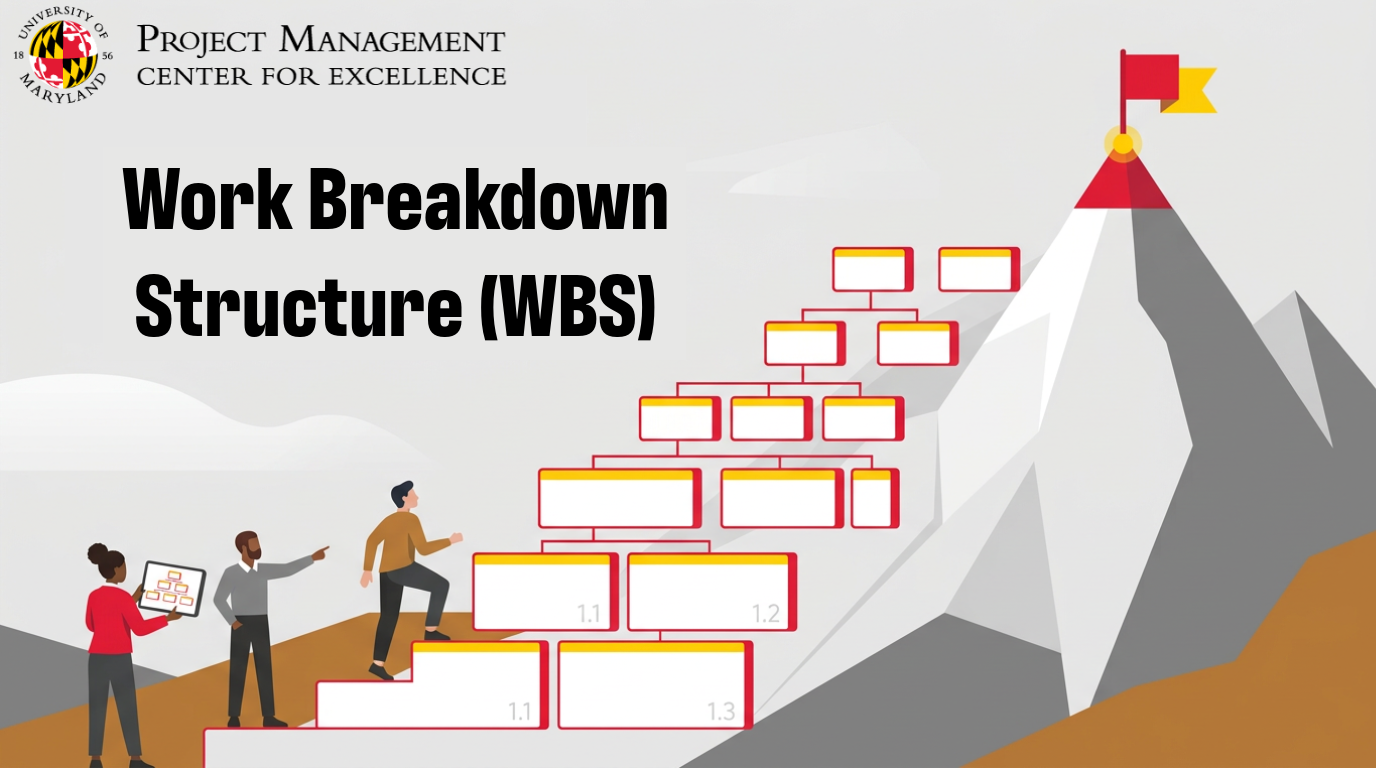
Every grand adventure, from scaling a mountain to launching a spaceship, begins not with a single, massive leap, but with a series of deliberate, smaller steps.
In the world of project management, that foundational breakdown of the monumental into the manageable is precisely what a Work Breakdown Structure (WBS) achieves.
If you’re looking to bring order, clarity, and control to your projects, understanding and utilizing a WBS is your indispensable first step.

What is a Work Breakdown Structure (WBS)?
Imagine you’re an architect designing a skyscraper.
You wouldn’t immediately start drawing individual bricks. Instead, you’d begin with the main structure: the foundation, the core, the floors, the facade.
Each of these major components then breaks down into smaller, more specific elements, and so on, until you reach the level of detail where individual teams can clearly understand their contribution.

This hierarchical decomposition of a project’s total scope into smaller, more manageable parts is the essence of a Work Breakdown Structure.
It’s a deliverable-oriented hierarchy that organizes the entire scope of work required to achieve the project objectives.
Think of it as the project’s DNA, laying out every single piece that contributes to the final product or service.
A visual roadmap for complex projects
A WBS isn’t just a list; it’s a visual, hierarchical representation.
Typically, it resembles an organizational chart or a tree diagram, with the ultimate project goal at the top and progressively smaller, more detailed work components branching out below.
This visual nature is critical. It allows you to see, at a glance, the entire scope of the project and how all its pieces fit together.
It’s your project’s architectural blueprint, revealing the entire structure before construction even begins.
Not a task list (and why that matters)
Here’s a crucial distinction: a WBS is NOT a task list.
A task list details the specific actions or activities required to complete a piece of work (e.g., “Write code for login module,” “Conduct user acceptance testing”).
A WBS, however, focuses on the deliverables or outputs of the project. It defines the “what” that needs to be produced, not the “how.”
For instance, if your project is “Develop New Software,” a WBS element might be “User Authentication Module.”
The tasks to build that module (coding, testing, documenting) would come after the WBS is established.
This focus on deliverables ensures that all work contributes directly to a tangible outcome, preventing scope creep and ensuring that every effort aligns with the project’s ultimate goals.
Why Every Project Manager Needs a WBS
A WBS provides a robust framework that underpins nearly every other planning activity.
Clarity and Scope Definition
Projects often fail due to unclear scope.
A WBS forces you to define every single piece of work required to complete the project successfully.
By breaking down the whole into smaller, manageable chunks, you gain unparalleled clarity on what’s included (and, importantly, what’s not).
This clarity acts as a shield against scope creep, as any new request can be evaluated against the established WBS to see if it truly fits within the defined project boundaries.
Improved Estimation and Planning
Once you have your project broken down into work packages (the lowest level of the WBS), estimating time and cost becomes far more accurate.
It’s much easier to estimate the effort required for “Design Database Schema” than for the vague “Develop New Software.”
This granular estimation forms the backbone of realistic schedules and budgets, significantly reducing the chances of costly overruns.
Enhanced Communication and Collaboration
The visual nature of a WBS makes it an excellent communication tool.
Stakeholders, team members, and even clients can quickly grasp the project’s scope and structure.
It fosters a shared understanding of what needs to be done, who is responsible for which deliverables, and how individual contributions fit into the larger picture.
This transparency reduces misunderstandings and promotes more effective teamwork.
Better Risk Management
By systematically breaking down the project, potential risks often become apparent earlier.
A complex, interconnected deliverable might hide multiple risks, but when broken down into smaller components, each individual risk associated with those components becomes easier to identify, assess, and plan for.
It’s like inspecting a complex machine by looking at its individual parts; flaws become more evident.
Key Principles of an Effective WBS
To truly harness the power of a WBS, you need to understand its foundational principles. These aren’t just guidelines; they are non-negotiable rules for creating a WBS that genuinely adds value.

1. The 100% Rule: Covering All Bases
The 100% rule states that the WBS must include 100% of the work defined by the project scope and capture all internal, external, and interim deliverables. It includes all project work, including project management.
It also ensures that it does not include any work that is outside the scope of the project. Essentially, if it’s part of the project, it’s in the WBS.
If it’s not in the WBS, it’s not part of the project. This rule prevents critical pieces from falling through the cracks and ensures a complete scope definition.
2. Mutual Exclusivity: Avoiding Overlap
Each element within the WBS should be mutually exclusive. This means there should be no overlap in scope definition between two different WBS elements.
For instance, if “Database Design” is a Level 2 element, it shouldn’t also appear as a sub-deliverable under “Backend Development” in a way that causes ambiguity.
Overlapping elements lead to duplicated effort, confusion about responsibilities, and inaccurate cost/time estimates.
3. Level of Detail: Just Enough, Not Too Much
The ideal WBS is detailed enough for effective planning and management but not so granular that it becomes unwieldy and overly complex.
The general rule of thumb is to decompose work until you reach “work packages.”
A work package is the lowest level of the WBS and represents a manageable chunk of work that can be realistically estimated, assigned to a single person or team, and for which progress can be easily measured.
If you find yourself listing individual keystrokes or minute-by-minute activities, you’ve gone too far.
If a work package still feels too large to estimate confidently, break it down further.
4. Deliverable-Oriented: Focusing on the “What,” Not the “How”
As mentioned earlier, the WBS focuses on the tangible outcomes or products of the project, not the steps taken to achieve them.
For example, instead of a WBS element like “Develop User Interface,” a deliverable-oriented approach would use “User Interface Prototype” or “Completed UI Design.”
This subtle but significant shift keeps the focus on the outputs that contribute to the project’s success, rather than the processes.
How to Create a WBS: A Step-by-Step Guide
Creating a WBS is an iterative process that benefits from collaboration.

Here’s a practical approach:
Step 1: Define the Project Scope
Before you can break anything down, you need a clear understanding of the overall project objective and its boundaries.
- What are you trying to achieve?
- What are the key deliverables?
- What are the success criteria?

This information often comes from your project charter or statement of work.
Step 2: Identify Major Deliverables (Level 1)
Start by identifying the primary, high-level deliverables that are absolutely essential to achieving your project goal.
These are the main categories that, when completed, constitute the entire project.
For building a house, Level 1 might be “Foundation,” “Framing,” “Roofing,” “Interior Finishes,” “Exterior Finishes.”
Step 3: Break Down Deliverables into Sub-Deliverables (Level 2)
Now, for each Level 1 deliverable, identify the next level of components or sub-deliverables required to produce it.
For “Foundation,” Level 2 might include “Site Preparation,” “Excavation,” “Footings,” “Slab Pour.”
Step 4: Continue Decomposing Until Work Packages Are Clear
Keep breaking down each sub-deliverable into smaller and smaller components until you reach the work package level. Remember, a work package is the lowest level of the WBS—a discrete, manageable unit of work that can be assigned, estimated, and tracked. You’ll know you’re at the right level when you can confidently estimate the time and resources needed for that specific component.
Step 5: Assign Unique Identifiers
Assign a unique alphanumeric code to each WBS element.
This numbering system (e.g., 1.0 Project, 1.1 Foundation, 1.1.1 Site Preparation) helps in tracking, communication, and integrating with other project documents.
Step 6: Review and Refine
Once you have a draft, review it thoroughly with your core project team and key stakeholders.
Ask critical questions:
- Does it adhere to the 100% rule?
- Is everything mutually exclusive?
- Is the level of detail appropriate?
- Is it truly deliverable-oriented?
Iterate and refine until everyone agrees it accurately represents the project’s entire scope.
WBS Examples in Action
Let’s illustrate these principles with a couple of practical scenarios.
Example 1: Building a New Website
- 1.0 New Website Development
- 1.1 Project Management
- 1.1.1 Project Plan
- 1.1.2 Status Reports
- 1.1.3 Stakeholder Communication
- 1.2 Requirements Gathering
- 1.2.1 User Stories
- 1.2.2 Functional Specifications
- 1.2.3 Technical Specifications
- 1.3 Design
- 1.3.1 Wireframes
- 1.3.2 UI Mockups
- 1.3.3 Graphic Assets
- 1.4 Development
- 1.4.1 Frontend Modules
- 1.4.2 Backend APIs
- 1.4.3 Database Schema
- 1.5 Testing
- 1.5.1 Test Cases
- 1.5.2 Bug Fixes
- 1.5.3 User Acceptance Testing (UAT) Report
- 1.6 Deployment
- 1.6.1 Hosting Environment Setup
- 1.6.2 Go-Live Plan
- 1.6.3 Post-Launch Monitoring
- 1.7 Training & Documentation
- 1.7.1 User Manuals
- 1.7.2 Admin Training
- 1.1 Project Management

*** Notice how each element is a deliverable (e.g., “UI Mockups,” not “Create Mockups”).
Example 2: Planning a Marketing Campaign
- 1.0 Product Launch Marketing Campaign
- 1.1 Campaign Strategy
- 1.1.1 Market Research Report
- 1.1.2 Target Audience Profile
- 1.1.3 Messaging & Positioning Document
- 1.2 Creative Assets
- 1.2.1 Ad Copy (Digital)
- 1.2.2 Visuals (Image/Video Assets)
- 1.2.3 Landing Page Design
- 1.3 Channel Activation
- 1.3.1 Social Media Campaign Setup
- 1.3.2 Email Marketing Sequence
- 1.3.3 PPC Campaign Configuration
- 1.4 Public Relations
- 1.4.1 Press Release Draft
- 1.4.2 Media Outreach List
- 1.4.3 Media Kit
- 1.5 Campaign Measurement & Reporting
- 1.5.1 Analytics Dashboard Setup
- 1.5.2 Performance Report Template
- 1.5.3 Post-Campaign Analysis
- 1.1 Campaign Strategy

Again, the focus is on the tangible outputs required for the campaign.
WBS vs. Other Project Management Tools
It’s easy to confuse a WBS with other project management artifacts, but each serves a distinct purpose. Understanding these differences is key to using each tool effectively.
WBS vs. Gantt Chart: Different Tools, Different Purposes
A WBS defines what needs to be done. It’s about breaking down the scope into a hierarchical structure of deliverables. It has no concept of time or dependencies.
A Gantt Chart, on the other hand, is a scheduling tool that illustrates the timing and dependencies of tasks. It shows when tasks begin and end, how long they take, and which tasks must be completed before others can start.
Think of it this way: The WBS provides the raw materials (the deliverables). The Gantt chart then arranges those raw materials into a build sequence over time. You create the WBS before you create the Gantt chart.
WBS vs. Project Schedule: The “What” Before the “When”
Similar to a Gantt chart, a project schedule explicitly details the specific activities, their durations, resource assignments, and sequence.
It maps out the “how” and “when” work packages will be completed.
The WBS provides the fundamental building blocks (the work packages) from which the schedule is constructed.
You first define what needs to be delivered (WBS), and then you determine when and how those deliverables will be created (schedule).
WBS vs. Organizational Breakdown Structure (OBS): Structure for Work vs. People
An Organizational Breakdown Structure (OBS) is a hierarchical structure of the project organization, outlining roles, responsibilities, and reporting relationships. It answers the question, “Who is responsible for what?”
A WBS focuses on the work itself – the deliverables and components of the project. It answers the question, “What work needs to be done?”
While distinct, these two structures are often linked. You might use the WBS to define the work packages, and then use the OBS to assign responsibility for those work packages to specific departments or individuals.
Common Pitfalls to Avoid When Using a WBS
Even with a clear understanding, it’s easy to stumble into common traps.
Be mindful of these pitfalls to ensure your WBS remains a powerful asset.
Getting Bogged Down in Too Much Detail Too Soon
Resist the urge to descend into minute detail in the early stages. The goal is to define work packages, not individual micro-tasks. Over-detailing too early can lead to analysis paralysis, unnecessary complexity, and a WBS that’s difficult to manage and update. Start high-level and drill down iteratively.

Focusing on Activities Instead of Deliverables
This is the most common mistake. If your WBS elements start with verbs (e.g., “Conduct research,” “Write code,” “Hold meeting”), you’re likely creating an activity list, not a deliverable-oriented WBS.
Shift your thinking to the tangible output of that activity (e.g., “Research Report,” “Developed Code Module,” “Meeting Minutes”).

Ignoring Stakeholder Input
A WBS created in a vacuum is doomed to fail. Crucial insights often come from subject matter experts and stakeholders who will be doing the work or using the deliverables. Involve them in the review and refinement process to ensure accuracy, completeness, and buy-in.
Their diverse perspectives can prevent omissions and uncover hidden complexities.

Failing to Keep it Updated
A WBS is a living document. Projects evolve, scopes change, and new information emerges. A WBS that is created once and then forgotten quickly loses its value. Regularly review and update your WBS to reflect any approved changes to the project scope. This ensures it remains an accurate representation of the work to be done.

The Enduring Value of a Well-Crafted WBS
In essence, a well-crafted Work Breakdown Structure is the cornerstone of effective project management.
It transforms daunting, ambiguous projects into a series of clear, manageable parts. It’s the blueprint that guides your team, the compass that keeps your scope in check, and the foundation upon which all subsequent planning is built.
By mastering the art of WBS creation, you’re not just organizing tasks; you’re setting your projects, and yourself, up for consistent success.
Embrace its principles, avoid the common pitfalls, and watch your project clarity and control soar.
Project Management Symposium
Looking to hear more insights from Industry Experts?

You should join us at this year’s Project Management Symposium.
Visit our Website HERE to learn more!
Project Management Programs
Are you looking to expand your project management skills?
With more than 50 courses and 17 professional certifications, our programs are built by industry experts and UMD faculty to address real-world challenges in today’s workplaces.

Some of our most popular certifications include:
- Agile Project Management – Navigate complex projects with adaptive frameworks.
- Construction Management – Strengthen your management expertise in construction projects.
- Artificial Intelligence in Government Procurement – Unlock the power of artificial intelligence to revolutionize government procurement.
- Project Management Professional (PMP) Exam Prep Training – Prepare for the PMP exam with confidence.